
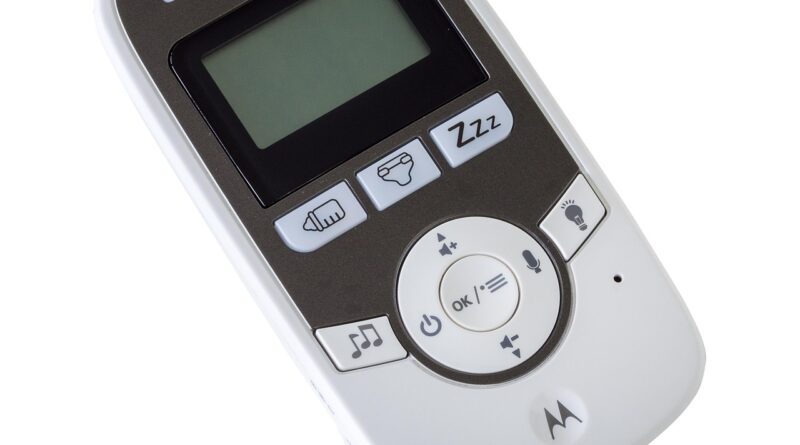
Which Baby Monitor Is Best for Safer Nights and Easier Days?
How Do You Choose a Baby Monitor That Fits Daily Life?
A baby monitor is not a large item on the buying list, but it gets used during naps, night feeds, and quick checks from the kitchen or living room. If you are buying for your own home, a store, or a wider baby and kids essentials range, the right choice is not always the unit with the most features. It should give clear sound, steady video when video is needed, safe placement, and controls that make sense at 2 a.m. when no parent wants to search through menus.
Start with Your Home Layout
A small apartment may only need a basic audio unit or a compact video monitor. A two-story house, thick walls, a garden room, or a nursery at the end of a hallway may need stronger range and a more stable signal. Before comparing models, look at where the baby sleeps and where the parent unit will be used. Also check whether the signal has to pass through brick, concrete, or several closed doors.

Match Features to the Baby’s Age
For newborns, parents often focus on sound sensitivity, night visibility, and a screen that turns on quickly. When a baby starts rolling, crawling, or standing, a wider viewing angle, safe camera mounting, and cord control become more important. For toddlers, two-way talk and room temperature alerts can help in some homes. That said, a sudden voice from the monitor can make some children uneasy, so it is worth testing gently.
Set a Realistic Budget
A higher price may give better optics, a larger screen, longer battery life, or app access. It does not always mean the monitor is safer. Put basic reliability first, especially clear audio, stable connection, safe mounting options, and privacy settings you can actually manage. A lower-cost model with those basics can be a better buy than a feature-heavy unit that feels difficult after one week.
Which Type of Baby Monitor Works Better for You?
Baby monitors usually sit in three groups: audio, video, and WiFi-connected models. Each type fits a different kind of use. A parent who only needs to hear crying will not shop the same way as a grandparent who wants a simple screen, or a working parent who checks the nursery while away from home.
Audio Monitors Keep Things Simple
Audio monitors still have a place because they are easy to set up, often cheaper, and less distracting at night. They suit small homes and parents who do not want another screen beside the bed. The limit is clear, though. You can hear fussing, but you cannot see whether the baby is moving around, half awake, or only making normal sleep noises.
Video Monitors Give More Context
A video baby monitor can stop unnecessary trips into the room. If the baby is only stretching, you can wait and avoid waking them. If a toddler has thrown a pacifier out of reach, you can deal with it faster. Choose a screen that is bright enough to see, but not so bright that it lights up the bedroom. A physical volume button is also worth checking. Tiny app sliders are not fun to use in the middle of the night.
WiFi Monitors Suit Travel and Remote Check-Ins
WiFi models are popular because they can support app viewing, remote access, cloud features, and sometimes access for more than one caregiver. They work well for families who travel or want to check in from another room, another floor, or outside the home. They also need better password habits, regular updates, and a secure router. If you do not want internet access at all, a closed-system video monitor may feel simpler.
What Safety Rules Matter Before Setup?
A monitor helps parents watch and listen, but it is not a replacement for safe sleep practice or a safe nursery setup. The camera, cord, shelf, and wall mount all need attention. Many problems start with a monitor that seems out of reach at first, then becomes reachable when the baby learns to stand.
Keep Cords at Least Three Feet Away
The U.S. Consumer Product Safety Commission has warned that baby monitor cords must stay out of reach and at least three feet away from cribs, bassinets, play yards, and other sleep spaces. This is not about neat room styling; it is a strangulation safety rule based on real incidents. A cord hanging behind a crib can look harmless to an adult. A standing baby may still be able to reach more than expected. (cpsc.gov)
Mount Camera Outside the Crib
Do not attach a camera to the crib rail unless the product instructions clearly allow it and the cord stays fully out of reach. In most homes, a wall mount across the room, a high shelf, or a properly fixed corner mount is the safer setup. After mounting, give the cable path a light tug and check for loose loops. Then look from crib level, because the view from the doorway can miss a low hanging cord.
Treat the Monitor as a Helper Not a Guard
The American Academy of Pediatrics’ 2022 safe sleep policy notes that about 3,500 infants die each year in the United States from sleep-related infant deaths, including SIDS, accidental suffocation, and strangulation in bed. A baby monitor can alert you to sound or movement, but it cannot replace a firm sleep surface, back sleeping, room sharing without bed sharing, and keeping soft items out of the sleep area. Use the monitor as one support tool, not as the main safety measure. (pubmed.ncbi.nlm.nih.gov)
Which Features Are Worth Paying For?
Many baby monitors list a lot of features on the box or product page. Some are useful in daily use, while others do not change much once the monitor is on the bedside table. It is better to pay for features that solve repeat problems, not features that only sound good in a listing.
Night Vision Helps More Than High Resolution
Most nursery checks happen when the room is dark or dim. Consumer Reports’ baby monitor buying guidance notes that many models use infrared night vision so parents can see a baby in a dark room. A clear night image often matters more than very high daytime resolution. If the baby’s face looks washed out or the crib corner turns into a gray blur, the extra pixel count will not help much. (pressroom.consumerreports.org)
Temperature and Humidity Readings Add Context
Room temperature alerts can be useful, especially in a nursery that is colder than the rest of the home. Humidity readings may also help when a humidifier is used during cold season. Still, these readings should be treated as helpful estimates, not medical-grade measurements. If the nursery feels too hot, too cold, or too dry, check the room directly. Then adjust clothing and bedding based on safe sleep guidance.
Battery Life and Signal Range Reduce Stress
A parent unit with weak battery life becomes one more device to keep charging. For overnight use, a monitor should last for several hours unplugged or charge safely on a bedside table. Range matters as well. If the monitor drops signal when you walk to the laundry room, it will create more stress than it removes, especially in homes with thick walls.
How Can You Keep a WiFi Baby Monitor Private?
A WiFi monitor is useful, but it is also a connected camera in a private room. That means basic security is part of the product use. Parents do not need to be cybersecurity experts, but they should avoid the common habits that make connected devices easy to access.
Change Every Default Password
The Federal Trade Commission warns that internet-connected cameras, including baby monitors, should be protected with strong passwords and secure WiFi settings. Default passwords are a weak point because they can become widely known. Use a unique password for the monitor account, the app, and your home router. Do not reuse the same password from an old shopping account. It is a small shortcut that can create a much bigger problem. (consumer.ftc.gov) See also: Buying Guides.
Use Two Factor Authentication
If the monitor app offers two factor authentication, turn it on. A code from an authenticator app or another approved method adds a second check when someone tries to sign in. It may take a little extra time during setup, but it can block many account problems later. Also check who has access to the app. Remove old caregivers, unused phones, and shared accounts you no longer need.
Update Firmware and Router Settings
Security updates fix bugs, close weak spots, and improve how the device runs. NIST has advised smart home users to manage passwords, privacy settings, and updates, and to consider replacing connected devices that no longer receive updates. For a baby monitor, this means checking the app, turning on automatic updates where available, and not keeping models with abandoned software support. If the app has not been maintained for a long time, buyers should treat that as a product risk. (nist.gov)
What Should Wholesale and Retail Buyers Check?
For importers, distributors, and online sellers, the right baby monitor is not only about what parents like on the shelf. It also has to be easy to explain, easy to pack, and stable after the sale. A product that confuses buyers usually brings returns, poor reviews, and long support messages.
Clear Packaging Claims Build Trust
Packaging should state the monitor type, screen size, range conditions, power method, battery details, app requirements, and mounting notes in plain language. Avoid loose claims such as “perfect safety” or “medical monitoring” unless the product is certified for that purpose. Parents read baby product packaging carefully, and many are already worried about safety. Clear wording works better than overpromising. It also helps sales staff and customer service teams answer questions faster.
Stable Supply and After Sales Matter
A baby monitor is often bought before birth, gifted at a shower, or added to a registry. Retailers need predictable stock, spare cables, replacement parent units when available, and support for pairing issues. If a product depends on an app, confirm that the app is maintained in key markets. Also check whether the supplier can answer setup and warranty questions without long delays. A monitor with a nice box but weak support can hurt the whole baby category.
Compliance Labels and Recall Checks Are Basic
Buyers should check applicable electrical, radio, battery, labeling, and children’s product rules in the target market. For the United States, checking CPSC recall records is a practical step before purchase orders and during ongoing sales. Manuals, cord warnings, product test documents, and clear supplier contact details should be available before shipment. If a supplier cannot provide them, it is not a small admin issue; it is a warning sign.
How Should You Use a Baby Monitor Every Night?
The best monitor still needs a simple routine. A quick nightly check can catch small issues such as a low battery, a moved camera, a loose cable cover, or a volume setting left too low after nap time. These are basic points, but they are the ones that usually matter at home.
Do a 30 Second Room Check
Before bedtime, check the crib area, camera angle, cable path, and parent unit battery. Make sure the monitor is not inside the crib, not on the mattress, and not close enough for the baby to pull. This sounds basic, and it is. That is why it works as a daily habit. It takes little time and catches problems before the night starts.
Set Alerts That Do Not Wake Everyone
Very sensitive sound alerts may make you jump at every sigh. Alerts set too low may miss real crying. Start in the middle and adjust after a few nights. If the monitor has temperature alerts, set a sensible range instead of chasing tiny changes. A nursery can shift by a degree or two when heating turns on and off.
Keep Backup Routines Simple
If WiFi goes down, the app freezes, or the battery dies, you still need a plan. Keep the charger in one fixed place. Know how to reset pairing before you need to do it at midnight. If the nursery is far away, arrange doors so you can still hear without depending only on the monitor. Technology helps, but checking the room yourself still has a place.
FAQ
Q1: Is a WiFi Baby Monitor Better Than a Non WiFi Baby Monitor? A: It depends on your needs. WiFi is better for remote viewing and app access. Non WiFi models can feel simpler and more private because they do not rely on internet access.
Q2: Where Should You Place a Baby Monitor Camera? A: Place it outside the crib, high enough for a clear view, and with every cord at least three feet away from the sleep space. Check again when the baby starts standing.
Q3: Do Baby Monitors Prevent SIDS? A: No standard baby monitor should be treated as a SIDS prevention device. Follow safe sleep guidance first, including back sleeping, a firm surface, and no soft items in the crib.
Q4: What Features Matter Most in a Baby Monitor? A: Clear audio, stable signal, useful night vision, safe mounting, good battery life, and simple controls matter most. Extra app features are only helpful if you will use them.
Q5: How Can You Make a WiFi Baby Monitor Safer? A: Use a unique strong password, turn on two factor authentication, update the app and firmware, secure your router, and remove users who no longer need access.