
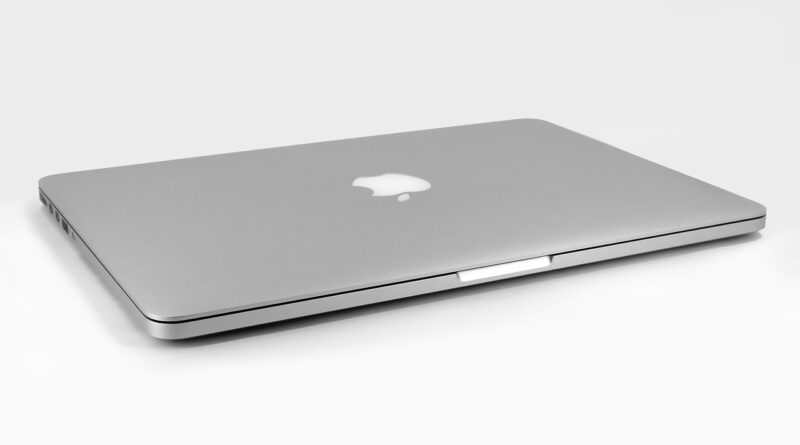
MacBook Pro Buying Guide 2026 Which Model Should You Buy?
Is the MacBook Pro Still the Right Laptop for You in 2026?
This macbook pro buying guide is for buyers who want a straight answer before paying for a pro laptop. For more shopping checklists, browse the Buying Guides section. In short, buy a MacBook Pro when your work needs steady speed, a better screen, more ports, or longer battery life than a thin daily laptop can give.
Use Cases That Truly Need Pro Hardware
The MacBook Pro makes sense for video editing, software development, high-resolution photo work, music production, 3D design, data projects, and long days with many apps open. Apple Technical Specifications, accessed July 2026, lists the current line as 14-inch models with M5, M5 Pro, or M5 Max, and 16-inch models with M5 Pro or M5 Max.

Market Signals Behind the Mac Choice
Demand is not just talk. IDC preliminary PC tracker data reported in July 2026 showed Apple as one of the stronger large PC vendors, with Mac shipments growing while the wider PC market was softer. That does not mean every MacBook Pro is the best deal, but it does show many buyers still choose Apple laptops even when prices are harder to accept.
Price Pressure You Should Not Ignore
Reuters reported in June 2026 that memory and storage chip costs were rising fast, citing TrendForce data showing DRAM prices up as much as 98% in the first quarter of 2026, with another 58% to 63% rise expected in the second quarter. So the buying step is simple: check the live Apple Store, education pricing, certified refurbished stock, and trusted retailers before you place the order.
Which MacBook Pro Size Fits Your Daily Work?
Size is not only about screen taste. It affects how often you carry the laptop, how much room you have for work, how long the battery may last, and how the machine feels after a full workday. A larger MacBook is nice at a desk, but it is less nice in a full backpack early in the morning.
The 14-Inch Model for Portability
The 14-inch MacBook Pro has a 14.2-inch Liquid Retina XDR display and weighs about 3.4 to 3.6 pounds, depending on chip choice, according to Apple Technical Specifications. It is the safer pick if you travel, work in coffee shops, move between classrooms, or use an external monitor at home.
The 16-Inch Model for Desk Free Power
The 16-inch MacBook Pro gives you a 16.2-inch display, a larger 100-watt-hour battery, and more space for timelines, code panes, spreadsheets, and editing panels. Apple lists the 16-inch model at about 4.7 pounds, so it can be carried around, but it is not a light casual-bag laptop.
The Nano Texture Choice for Bright Rooms
Both sizes can be configured with a nano-texture display. This option is useful if you often work under strong office lights, beside windows, or on location. The standard display is already very good, with Apple listing 1600 nits peak HDR brightness and a 1,000,000:1 contrast ratio, so do not pay for nano-texture unless glare bothers you almost every day.
Should You Choose M5, M5 Pro, or M5 Max?
The chip choice should come from your workload, not from the name on the box. Many buyers pay for more chip than they use, then leave much of the laptop idle for years. Match the chip to the heaviest task you do every week, not to a rare project that shows up once in a while.
M5 for Everyday Professional Work
The 14-inch M5 MacBook Pro uses a 10-core CPU, 10-core GPU, 16-core Neural Engine, and 153GB/s memory bandwidth, based on Apple Technical Specifications. It is a good choice for office work, web design, writing, light coding, photo edits, basic video cuts, and students who want a laptop that can stay quick for several years.
M5 Pro for Sustained Creative Loads
M5 Pro is the practical middle choice for many serious users. Apple lists up to an 18-core CPU, up to a 20-core GPU, and 307GB/s memory bandwidth. Choose it if you compile large projects, edit 4K or 8K footage, run heavier design apps, use virtual machines, or keep many professional apps open all day.
M5 Max for Heavy Graphics and Local Models
M5 Max is for buyers who already know the reason they need it. Apple lists up to a 40-core GPU, up to 128GB unified memory, and up to 614GB/s memory bandwidth. It fits 3D rendering, advanced effects, large local model work, high-end color grading, and multi-display studios. For normal business use, it is usually more laptop than needed.
How Much Memory and Storage Should You Buy?
Memory and storage are the upgrades that matter most during long ownership. They also push the price up quickly, especially in 2026. Since MacBook Pro memory is unified and cannot be upgraded later, this is the part of the order page where it pays to slow down.
Memory Comes First for Long Ownership
For light professional work, 16GB can still work on the M5 model. If you keep large browser sessions, Adobe apps, Xcode, Docker, or data tools open together, 24GB or 32GB is the safer order. For M5 Pro, 24GB is the entry point, while 48GB or 64GB is easier to recommend for heavy creative and development work.
Storage Should Match Your Working Files
Apple lists 1TB starting storage for current M5 and M5 Pro MacBook Pro configurations, while M5 Max starts at 2TB. A 1TB drive is fine if you archive to external SSDs or cloud storage. Choose 2TB if you keep video projects, Lightroom catalogs, sound libraries, or several client folders on the machine.
Upgrade Costs Need a Simple Limit
A simple rule helps when the order page gets expensive: spend on memory before storage, and spend on storage before a chip upgrade you may not use. External SSDs are cheap compared with internal Apple storage, but external memory is not an option. If one configuration gets close to the price of the next chip tier, put both carts side by side before you decide. See also: baby&kids.
What Ports, Displays, and Battery Details Matter?
Ports and battery life sound less exciting than chip names, but they affect daily work more than many buyers expect. A laptop that connects to your desk without extra adapters is easier to live with. A laptop that lasts through meetings, flights, and edits without battery stress is also easier to use.
Thunderbolt 4 Is Enough for Simple Setups
The 14-inch M5 model includes three Thunderbolt 4 ports, HDMI, MagSafe 3, an SDXC card slot, and a headphone jack. Apple says it can support up to two external displays. For most office users, creators with one main monitor, and students, that is already enough.
Thunderbolt 5 Is Better for Pro Desks
M5 Pro and M5 Max models move to Thunderbolt 5 at up to 120Gb/s. Apple lists support for up to three external displays on M5 Pro and up to four on M5 Max. If your desk has fast storage arrays, capture hardware, or several high-resolution monitors, this is a real reason to skip the base M5.
Battery Claims Need Realistic Reading
Apple lists up to 24 hours of video streaming on selected MacBook Pro models. Independent testing gives a more grounded view: Tom’s Guide reported 18 hours and 14 minutes for the 14-inch M5 model in a Wi-Fi web test, and more than 21 hours for the 16-inch M5 Pro in its lab testing. Heavy rendering, gaming, virtual machines, and high brightness will reduce those numbers. There is no trick here; it is just how the hardware works.
Which MacBook Pro Should You Buy?
The best MacBook Pro is the one that gives you enough room for your work without turning the order page into a showpiece. Use your current projects, not wish-list projects, as the buying filter. A little extra memory is sensible. A maxed-out chip for email is not.
Best Value Pick for Most Buyers
Choose the 14-inch MacBook Pro with M5 if your work is mostly documents, research, browser apps, light media editing, photo work, meetings, and moderate coding. If the budget allows, moving from 16GB to 24GB or 32GB memory is more useful than chasing M5 Pro for tasks that rarely push the GPU.
Best Balanced Pick for Creators
Choose M5 Pro if you edit video, build apps, process large photo sets, run heavier creative tools, or want a laptop that stays steady under load. The 14-inch M5 Pro is the more flexible travel choice. The 16-inch M5 Pro is the better all-day workstation if the weight is acceptable.
Best No Compromise Pick for Specialists
Choose M5 Max only when your income or workflow benefits from its graphics, memory ceiling, and display support. Good examples include 3D artists, film editors handling complex timelines, researchers running local models, and studio users with several monitors. If that does not sound like your work, keep the money.
- Buy 14-inch M5 for value, portability, and general professional use.
- Buy 14-inch M5 Pro for a compact creator or developer machine.
- Buy 16-inch M5 Pro for the best balance of screen, battery, and speed.
- Buy M5 Max only for heavy graphics, high memory needs, or advanced display setups.
FAQ
Q1: Is the MacBook Pro Better Than the MacBook Air? A: Yes, if you need sustained performance, a brighter XDR display, more ports, better speakers, active cooling, or more external display support. If your work is mostly email, browsing, documents, and light edits, a MacBook Air may be the smarter buy.
Q2: Is 16GB Memory Enough for a MacBook Pro in 2026? A: It can be enough for light professional use on the M5 model, but 24GB or 32GB is a better long-term choice if you multitask heavily, code, edit media, or keep large files open.
Q3: Should You Buy M5 Pro Instead of M5? A: Buy M5 Pro if your work regularly pushes the CPU or GPU for long sessions. For everyday business tasks, writing, research, photo edits, and casual video work, M5 is already very capable.
Q4: Is the 16-Inch MacBook Pro Worth the Extra Weight? A: It is worth it if you work on the built-in display for hours and want longer battery potential. If you travel daily or already use an external monitor, the 14-inch model is easier to live with.
Q5: When Is the Best Time to Buy a MacBook Pro? A: Buy when your current laptop slows your work and a trusted retailer has a fair price. In 2026, memory and storage prices have been unstable, so compare Apple, education offers, certified refurbished units, and major retailers before ordering.